Renovate
It’s possible to replace Dependabot with a self-hosted version Renovate.
While this works a bit different then dependabot, the result is more or less the same.
The procedure consists of multiple steps
1. Create a service account
It’s best practice to create a separate service account that handles only the renovation work.
So in Forgejo navigate into Site Administration -> Identity & access -> User Accounts -> Create user account.
Then assign this user to all repositories it should be able to update.
1.1 Create an Access Token
Log into your instance using the service account.
Navigate into user/settings/applications and create a new access token.
According to the config the pat requires at least:
| scope | Permission |
|---|---|
| user | Read |
| issue | Read and Write |
| organization | Read |
| packages | Read |
2. Automate the checks
There are two distinct ways to let renovate run.
You can either automate it inside a Forgejo-Action or run it as a cron job.
2.1 Forgejo Action
Remember to set the RENOVATE_TOKEN into a secret
  name: Renovate
  on:
    schedule:
      - cron: '0 5 * * *'
    workflow_dispatch:

  jobs:
    renovate:
      runs-on: docker
      container:
        image: renovate/renovate:latest
      steps:
        - name: Run Renovate
          env:
            RENOVATE_PLATFORM: forgejo
            RENOVATE_ENDPOINT: https://git.my.domain/api/v1
            RENOVATE_TOKEN: ${{ secrets.RENOVATE_TOKEN }}
            RENOVATE_AUTODISCOVER: 'true'
            # It's possible to exclude specific repositories
            # RENOVATE_AUTODISCOVER_FILTER: 'myorg/*'
            LOG_LEVEL: info
          run: renovate
2.2 Cron job
2.2.1 renovate.config.js
First you need to create a config and env file somewhere safe
/etc/renovate/renovate.env
RENOVATE_TOKEN=<PAT created in Step 1.1>
GITHUB_COM_TOKEN=<TOKEN_IF_CHANGELOG_FROM_GITHUB_SHOULD_BE_FETCHED>
/etc/renovate/renovate.config.js
module.exports = {
    platform: 'forgejo',
    endpoint: 'https://git.my.domain/api/v1',
    token: process.env.RENOVATE_TOKEN,
    autodiscover: true,
    onboarding: true,
    onboardingConfig: { extends: ['config:recommended'] },
    osvVulnerabilityAlerts: true,
    vulnerabilityAlerts: {
      labels: ['security'],
    },
};
And dont forget to restrict access.
sudo chmod 600 /etc/renovate.config.js
2.2.2 Systemd Unit
Then create the unit file using:
sudo systemct edit --full --force renovate.service
[Unit]
Description=Renovate dependency updates
Wants=network-online.target
After=network-online.target docker.service
Requires=docker.service

[Service]
Type=oneshot
EnvironmentFile=/etc/renovate/renovate.env
ExecStart=/usr/bin/docker run --rm -e RENOVATE_TOKEN -e LOG_LEVEL=info -v /etc/renovate/renovate.config.js:/usr/src/app/config.js:ro renovate/renovate:latest
TimeoutStartSec=3600
Afterwards the Timer
sudo systemct edit --full --force renovate.timer
  [Unit]
  Description=Run Renovate to scan for vulnerabilities

  [Timer]
  OnCalendar=*-*-* 05:00:00
  RandomizedDelaySec=900
  Persistent=true

  [Install]
  WantedBy=timers.target
Then activate them
sudo systemctl daemon-reload
sudo systemctl enable --now renovate.timer
3. Do the onboarding
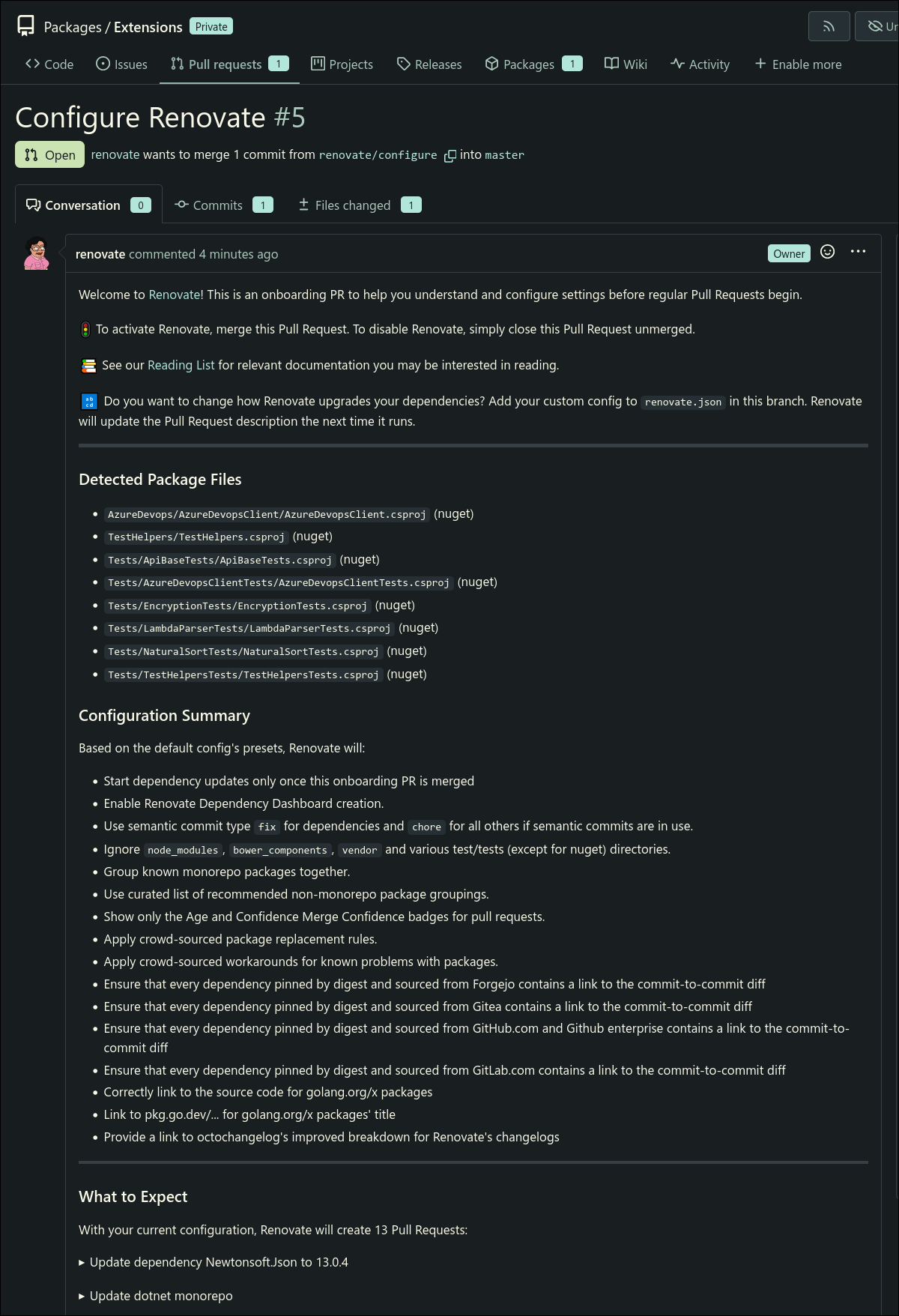
Now execute renovation once to perform the automatic discovery and the onboarding.
The onboarding process creates a new issue with a few infos.
4. Renovate again
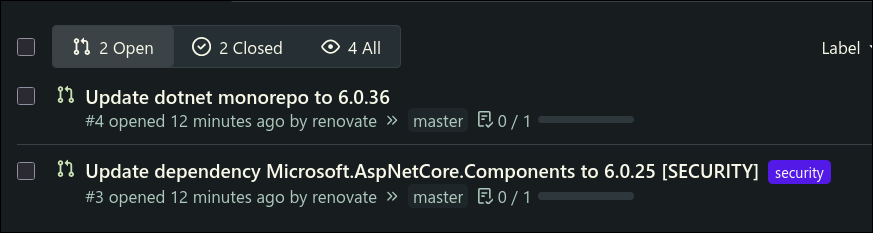
If you complete the onboarding process you can run renovate again.
This time various PR’s should be created
4. Tips & tricks
The Renovate-docs allows for quite a lot customization.
Most of them are done after the onboarding created the renovate.json
Single PR updates
For example you could add this to the renovate.json to create one huge PR that contains all updates.
  {
    "$schema": "https://docs.renovatebot.com/renovate-schema.json",
    "extends": ["config:recommended"],
    "packageRules": [
      {
        "matchPackageNames": ["*"],
        "groupName": "all dependencies",
        "groupSlug": "all"
      }
    ],
    "separateMajorMinor": false
  }
this is most often however a bad idea in general.
Automerge
There might be a case where you’re fine with (specific) automerges.
This can be configured inside the renovate.json file.
For example
"packageRules": [
  {
    "matchManagers": ["nuget"],
    "matchPackageNames": ["CMI.Infrastructure.*", "Moq"],
    "automerge": true,
    "automergeType": "branch"
  },
  {
    "matchManagers": ["nuget"],
    "matchUpdateTypes": ["patch"],
    "automerge": true,
    "automergeType": "branch"
  }
]
Refresh lag
Due to renovate running only on demand the dashboard won’t refresh live.
Implementing this requires a workaround.
A good way would be by utilizing a webhook that triggers only for the single repository.
After installing adnanh/webhook add this into the hooks.json
[
    {
      "id": "renovate",
      "execute-command": "/etc/renovate/renovate-single.sh",
      "command-working-directory": "/etc/renovate",
      "pass-arguments-to-command": [
        { "source": "payload", "name": "repository.full_name" }
      ],
      "trigger-rule": {
        "match": {
          "type": "value",
          "value": "your_webhook_secret",
          "parameter": { "source": "header", "name": "Authorization" }
        }
      }
    }
]
and this is the content of /etc/renovate/renovate-single.sh
#!/usr/bin/env bash
exec docker run --rm \
  --env-file /etc/renovate/renovate.env \
  -e RENOVATE_AUTODISCOVER=false \
  -v /etc/renovate/config.js:/usr/src/app/config.js:ro \
  renovate/renovate:latest "$1"
Missing security issues for dotnet projects
Renovate checks from Osv.dev which feels like it lags behind Dependabot.
That’s only partially true.
The issue is that Dependabot scans transitive dependencies as well.
To enhance the detection a packages.lock.json is required to make renovate check against it.
This file will be created on dotnet restore when this is set into the .csproj or Directory.Packages.props
<PropertyGroup>
  <RestorePackagesWithLockFile>true</RestorePackagesWithLockFile>
</PropertyGroup>
Additionally a forgejo action can use dotnet tools to test even deeper:
name: Vulnerability scan
on:
  schedule:
    - cron: '0 5 * * *'
  workflow_dispatch:

  jobs:
    scan:
      runs-on: docker
      container:
        image: mcr.microsoft.com/dotnet/sdk:10.0
      steps:
        - name: Checkout code
          uses: actions/checkout@main

        - name: Restore and regenerate lock-file
          run: dotnet restore

        - name: Scan for vulnerable packages
          run: |
            dotnet list package --vulnerable --include-transitive 2>&1 | tee scan.txt
            if grep -q -E '>\s+\S+\s+\S+\s+\S+\s+(Critical|High|Moderate|Low)' scan.txt; then
              echo "::error::Vulnerable packages found"
              cat scan.txt
              exit 1
            fi
            echo "No vulnerable packages found."